Talk to your agent. It talks back.

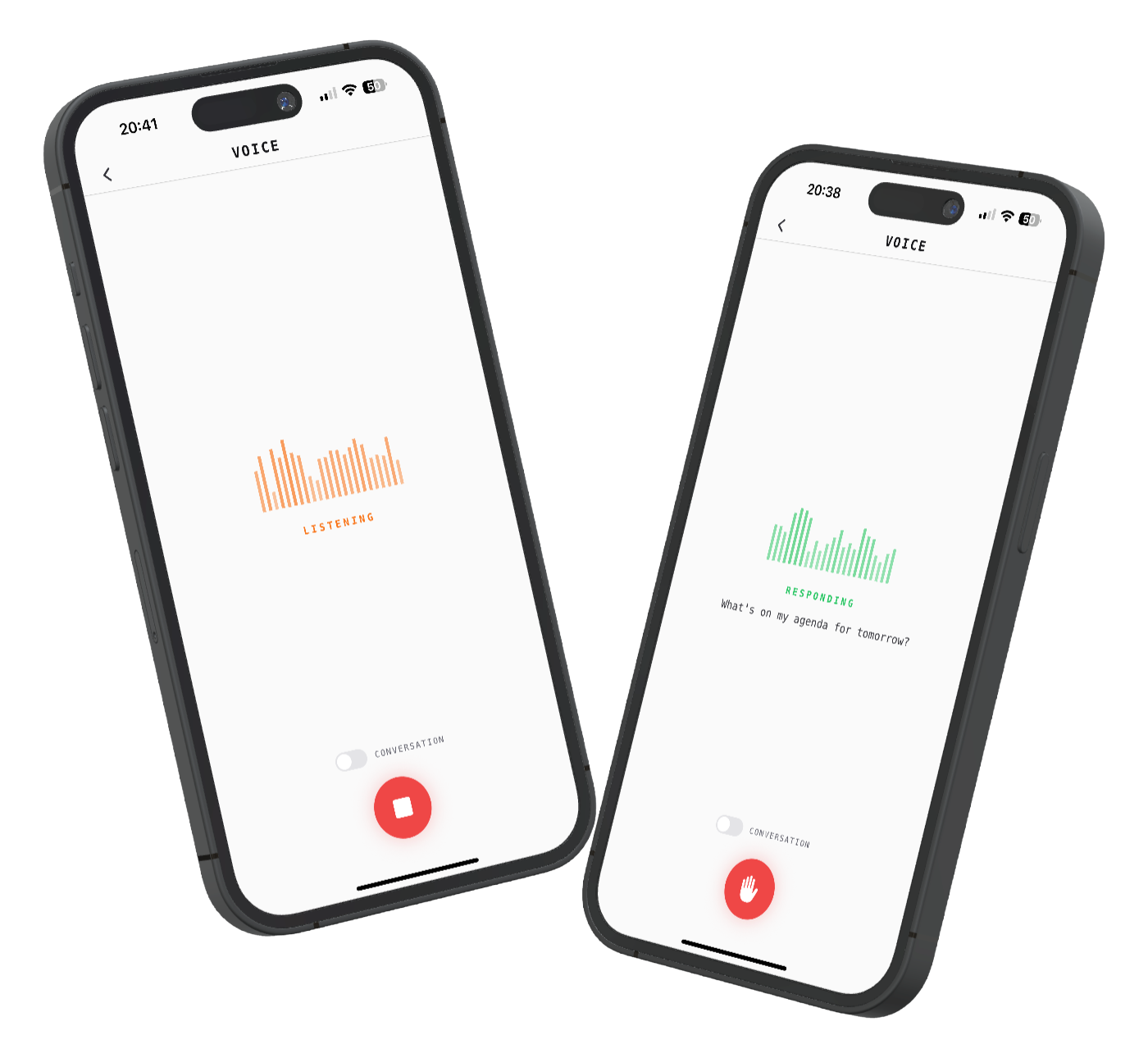
Tap the mic and speak. Your agent listens, thinks, and responds out loud. Conversation mode keeps the dialogue going hands-free. The same memory, the same tools, the same agent you chat with by text, now accessible by voice.

Cogitator voice mode on iOS

Typing on a phone is slow. You're cooking, driving, walking, or just too tired to type. You want to talk to your AI the way you'd talk to a person, but most agents are text-only.

How it works

01

Tap and talk

Hit the microphone button and speak naturally. Real-time audio metering shows your voice being captured. Automatic silence detection knows when you've finished, so you don't need to tap again to stop.

02

It thinks, then speaks

Your speech is transcribed and sent to the same agent that handles your text conversations. It has the same memory, the same knowledge graph, the same tools. The response streams back as audio and plays in real time.

03

Keep the conversation going

Toggle conversation mode and the agent listens again as soon as it finishes responding. No tapping, no waiting. Interrupt anytime by tapping the button. It's a natural back-and-forth, like talking to a person.

Capabilities

Speech-to-text

High-quality recording with real-time transcription preview. See what the agent heard before it responds. Automatic silence detection at 1.5 seconds ends the recording cleanly.

Text-to-speech

AI-generated voice responses streamed in real time. Audio plays as it arrives, so you hear the first words before the full response is ready. No waiting for the entire answer to generate.

Conversation mode

Toggle it on and the mic reopens automatically after each response. Hands-free, continuous dialogue. Toggle it off for single-turn interactions where you ask one thing and get one answer.

Interruption

Tap the button while the agent is speaking to stop it immediately. In conversation mode, it switches straight to listening. You're never stuck waiting for a long response to finish.

Live visualization

Animated waveform bars respond to your actual microphone input during recording. The visual feedback makes it obvious the agent is listening. Different animations for each state: idle, listening, thinking, responding.

Full agent access

Voice mode isn't a separate product. It connects to the same agent, the same knowledge graph, the same scheduled tasks. Ask it to set a reminder by voice and it creates a real task. Ask about your calendar and it checks.

Use cases

Cooking Hands covered in flour. Ask the agent what comes next in the recipe, or to set a timer, without touching your phone.
Commuting Walking to the train. Ask for your morning briefing, check your calendar, or dictate a reminder for when you arrive.
Quick capture An idea strikes. Tap the mic, say it, and the agent saves it to your knowledge graph. Faster than opening a notes app and typing.
Accessibility For anyone who finds typing difficult or prefers speaking. The full power of the agent, accessible through natural conversation.
Download for macOS Beta